



Every campus Wi-Fi project begins with the same objective: deliver seamless connectivity everywhere. Yet once the network goes live, the challenges rarely come from the access points themselves. They emerge from the hundreds of design decisions made long before the first cable is pulled.
An education campus network serving more than 130,000 students, spread across 90+ colleges and 86 academic departments, behaves very differently from an enterprise office. Tens of thousands of users move between buildings throughout the day, classrooms fill and empty every hour, devices roam continuously, and demand shifts from one part of the campus to another in minutes. Designing for this environment requires good engineering decisions.
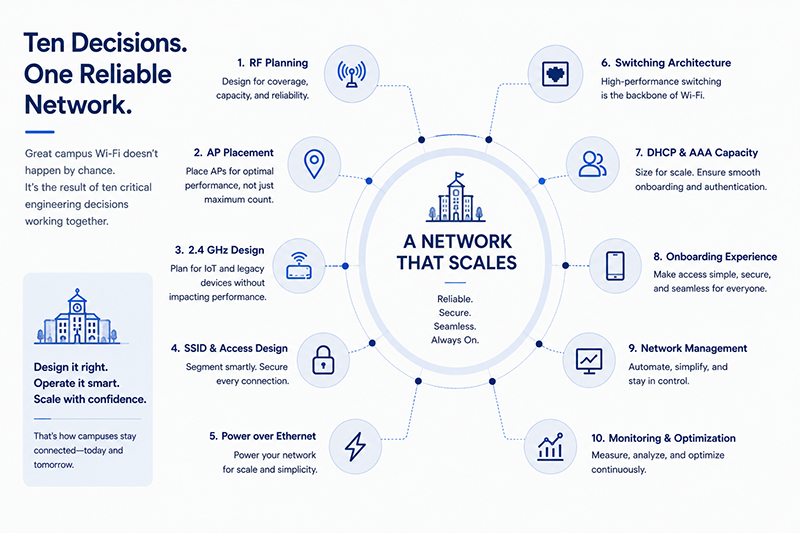
This article brings together ten design decisions that had the greatest impact during a live campus deployment. From RF planning and access point placement to SSID architecture, PoE budgets, DHCP sizing, and centralized management, each decision influenced the network's performance, scalability, and long-term operability. Whether you are designing a new campus or upgrading an existing one, these are the decisions worth getting right the first time.
1. RF Planning Is Non-Negotiable
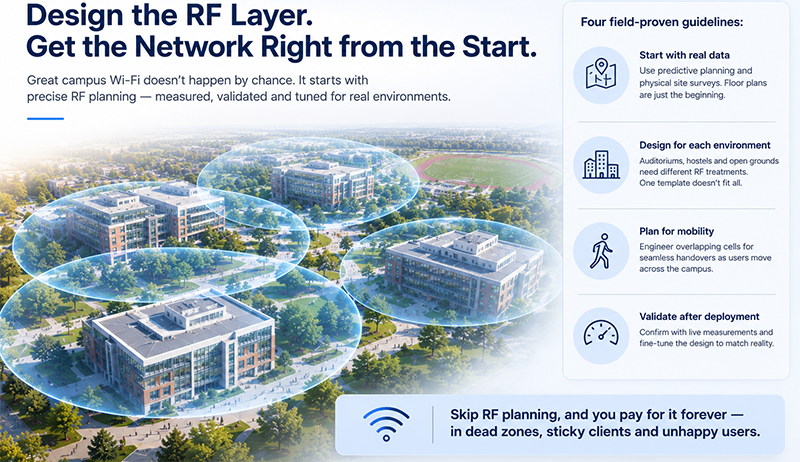
Everything downstream depends on the radio-frequency design, and it cannot be guessed. Four rules hold up in the field.
Invest in physical site surveys and predictive planning. A predictive model built from floor plans is a starting point, but it cannot account for real building materials, a concrete wall, a metal shelving unit, a glass atrium. Walk the site.
Adapt the RF design to the specific scenario. An auditorium, a hostel corridor, and an open sports ground are three different RF problems. One template does not fit all.
Design for mobility, not just coverage. A user walking between access points needs clean handovers, which means overlapping cells tuned deliberately, not just a signal everywhere.
Validate after deployment. The design is a hypothesis. Confirm it with measurements once the access points are live, and correct what reality disagrees with.
Skip RF planning and you pay for it forever, in dead zones, sticky clients, and complaints that no amount of extra hardware fully fixes.
2. Treat AP Placement as an Engineering Discipline
Two access points with identical specifications will perform very differently depending on where and how they are mounted. Height and orientation directly affect RF performance: an access point tucked above a false ceiling, mounted at the wrong angle, or hidden behind an obstruction radiates nothing like the datasheet promises.
The rule is simple: follow the RF design as closely as physically possible. When building constraints force a compromise, treat it as a deviation to be measured and corrected, not a detail to wave through. The gap between "where the design says" and "where the contractor put it" is one of the most common causes of underperformance.
3. Design the 2.4 GHz Layer Deliberately
The 2.4 GHz band is a trap if handled carelessly. It is essential for backward compatibility, older devices and many IoT endpoints depend on it, but it is congested, low-capacity, and prone to interference. Enabling it thoughtlessly drags down performance for everyone.
The field rules:
- Keep 2.4 GHz enabled for compatibility, but reduce the number of 2.4 GHz radios as much as possible.
- Optimise 2.4 GHz coverage deliberately to reduce sticky clients, devices that cling to a distant 2.4 GHz signal instead of moving to a stronger, faster 5 GHz cell.
- Never enable 40 MHz channel operation in 2.4 GHz. There is not enough spectrum for it, and it causes more interference than it is worth.
Handled with care, 2.4 GHz serves the devices that need it without dragging down the rest of the network.
4. Keep the SSID Architecture Simple
SSIDs look trivial and are not. Every broadcast SSID consumes airtime through management overhead, so more SSIDs mean less capacity for actual data, and more confusion for users choosing a network.
What works:
- Finalise the SSID scheme early, in the design phase, not after deployment. Changing it later is disruptive.
- Minimise the number of SSIDs to reduce RF overhead and user confusion. A short, clear list beats a long, ambiguous one.
- Use pop-up, on-demand, or scheduled SSIDs for events, a convocation, a conference, an exam, then retire them. This gives event-specific access without permanently loading the air.
5. Plan Power Before Performance
Access points are powered over the Ethernet cable (PoE), and power is a finite, shared resource on each switch. Two rules keep the network stable.
A stable power supply from the PoE port is crucial. An access point that browns out under load will misbehave in ways that are hard to diagnose, because the fault looks like a wireless problem, not a power one.
Leave headroom in PoE budget calculations. Do not fill a switch's power budget to the last watt. Higher-power access points (especially Wi-Fi 7 units drawing PoE++) and future additions need margin. A managed switch with a generous PoE budget, for example the 370W budget on the 24-port PoE+ models, gives that headroom, but it still has to be planned, not assumed.
6. Build a Reliable Wired Foundation for Access Points
The wired link behind each access point is easy to overlook and important to get right. Frequent link flaps, a port repeatedly going down and up, lead to access point instability and dropped client sessions. Chase these down: a marginal cable, a failing port, or a duplex mismatch will quietly degrade a whole zone.
One useful piece of perspective on cost: multi-gig ports are good to have and worth it for high-throughput Wi-Fi 7 zones, but for most Wi-Fi 6 access points, a reliable 1 GbE link is adequate. Do not over-spend on multi-gig everywhere when the money is better spent on reliability and coverage. Match the link speed to the actual access point throughput, zone by zone.
7. DHCP and AAA Must Not Become the Bottleneck
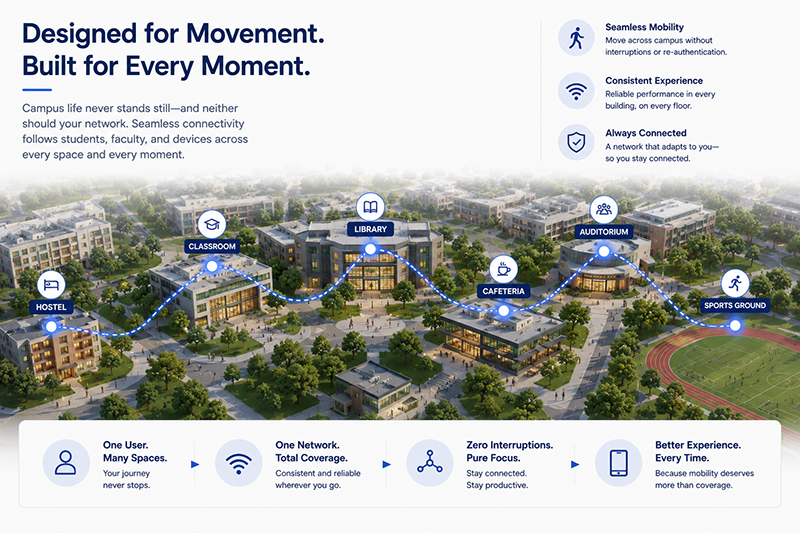
This is the lesson that catches experienced teams out, because the failure is invisible in a coverage map. On a campus, users move constantly, and every move triggers a fresh DHCP request (for an IP address) and an authentication handshake (AAA). The more mobile the users, the higher the rate of these requests.
Two realities make this worse. Campus mobility is high, our real-world data on this (the full breakdown is here) showed a significant share of clients roaming across dozens of access points in a single day, each move generating fresh requests. And randomised MAC addresses, now standard on phones, are not going away, which further increases the load on address and identity systems.
The consequence: DHCP and AAA must be dimensioned for this request rate and deployed for high availability. If they are under-sized, the network fails in a way that looks like bad Wi-Fi but is actually a starved back-end. Size them for peak roaming, not average load.
8. User Onboarding Flows Shape the Whole Design
How a user gets onto the network is not just a user-experience question, it is an architectural one. Finalise the onboarding flows early, in the design phase, because they determine how DHCP, AAA, captive portals, and directory integration all fit together.
The goal from the user's side is to minimise touchpoints: the fewer steps between a device and a working connection, the better, especially across tens of thousands of users who will each do this repeatedly. A clean onboarding flow reduces support tickets and reduces load on the back-end systems at the same time.
9. Centralised Management Makes Life Manageable for IT
At campus scale, the management platform is not a convenience, it is what makes the network operable at all. Multi-node and cluster-based management platforms become a nightmare for IT admins: fragmented views, inconsistent policy, and constant reconciliation.
A single pane of visibility and control across the entire network, wired and wireless, is what lets a thin team deploy and manage at scale. Policy enforcement flows are dramatically simpler when they are defined once, centrally, and pushed everywhere, rather than configured box by box. This is the difference between managing a network and fighting it.
10. Make Monitoring Actionable
An alarm system that cries wolf is worse than none, because it trains the team to ignore it. Alarm configuration needs careful, deliberate attention to reduce noise and avoid alert fatigue.
Two rules keep alarms useful:
- Only enable alarms that genuinely require attention and lead to a remedial action. An alarm nobody acts on is just noise.
- Set sensible thresholds, tuned to the network's real behaviour, so an alarm means something is actually wrong.
Done well, alarms surface the few things that matter. Done carelessly, they bury them.
The through-line
Every one of these lessons points the same way: a campus network is not a b
ig office network. Mobility, BYOD, scale, and uneven load create failure modes that only show up in the field, in the DHCP back-end, the PoE budget, the 2.4 GHz band, the constant roamers. Solution design has to account for current and future use cases, CapEx and OpEx, lifespan, end-to-end integration, manageability, and sustainability, all at once. The teams that plan for these get a network that scales. The teams that do not spend years firefighting.






.svg)